I’ll often get requests to make sure we “clean-up” white space if we are conditionally showing and hiding fields in the middle of a form. The good news here is that this happens automatically… whether you’re using CRM’s Business Rules engine or writing your own custom client script the CRM UI will clean up those unsightly empty spots with whatever was below it.
Walkthrough
Using a simple Business Rule we will conditionally show or hide the Main Phone field.

Here we see it shown by default.

Here we invoke our rule by populating the Fax field. Note that the whitespace has collapsed itself.

The same is true when you use JavaScript to hide an otherwise visible field. Here we have a simple script to hide the Main Phone field.

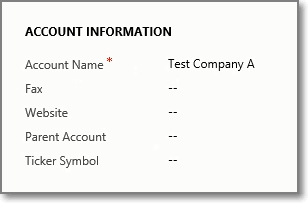
On load of the form we are presented with a clean interface without extraneous white space.
 Dynamics Field Guide